ux-rai
Usability research for iOS apps, without the lab.
Testers use your app on their own iPhone, thinking aloud. We record the screen, their voice, where they look, how they react and what the app was doing, then AI turns each session into timestamped findings, and the whole study into a ranked list of what to fix.
In use today on Waffling, an iPhone game from our studio Axiomatic Games.
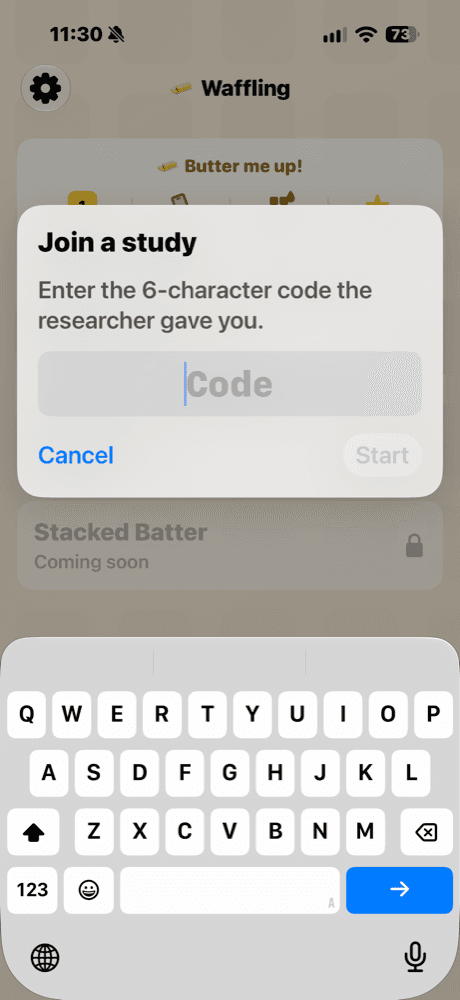
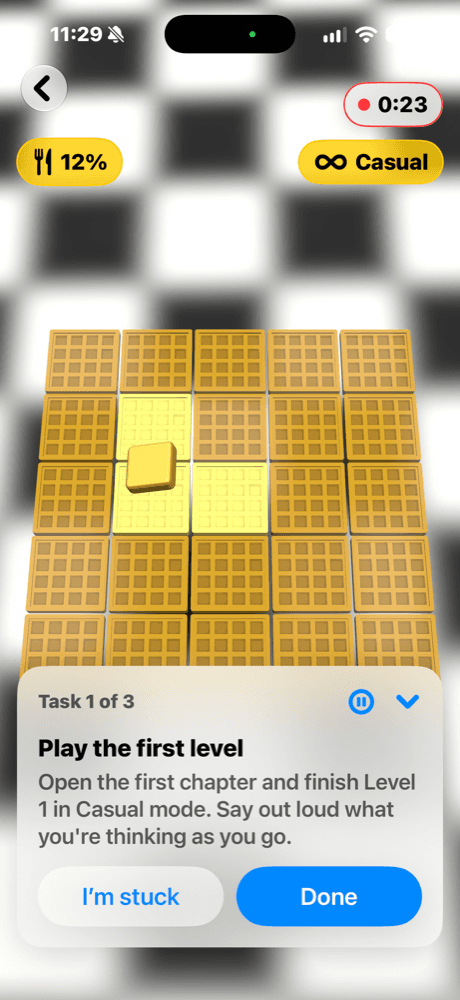
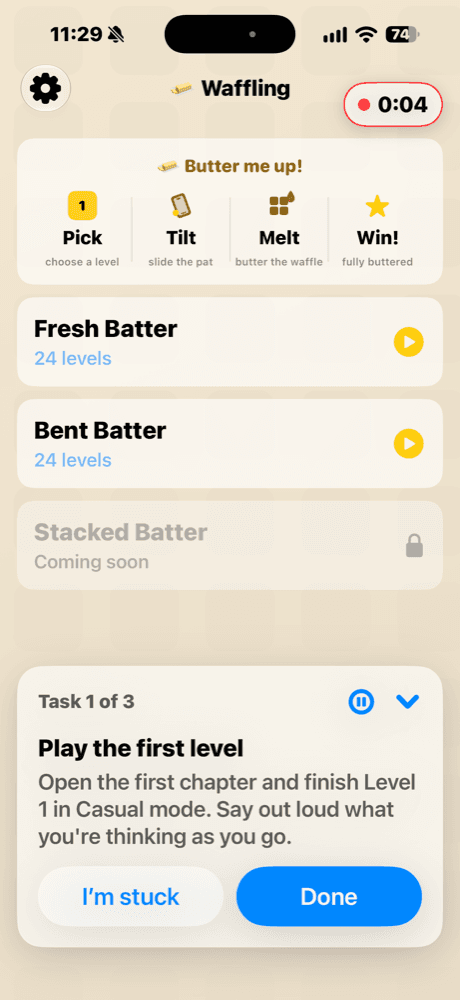
Ambiguous naming: “Bent Batter” spoken as “pent batter”
The tester misread the tier name aloud before tapping it. Suggested fix: add a one-line descriptor under each tier.
How it works
From a tester's phone to a ranked list of fixes.
- 01
Add the SDK to a research build
Link our Swift package into a separate research target of your iOS app. Your App Store build never includes it.
- 02
Testers run a study
You write a Study as a short list of tasks. Testers join with a short code, follow a quick gaze calibration, and work through the tasks on their own iPhone, thinking aloud as they go.
- 03
AI turns sessions into findings
Each session is analyzed into Findings pinned to its Timeline. Across sessions, a Synthesis ranks the issues by how many testers hit them.
What you get
Everything a session tells you, on one Timeline.
Capture
Screen recording
Every session is recorded and plays back in the dashboard, in sync with everything else.
Capture
Think-aloud voice
Testers talk through what they're doing. You get the audio and a timestamped transcript.
Capture
Gaze and expression
After a short calibration, the front camera tracks where testers look and how they react. Both land on the Timeline, and Findings can cite them.
Capture
App context and crashes
Accessibility snapshots, keyframes, logs, errors and crashes, laid out on the same Timeline as the recording.
Studies
Tasks, joined by code
A Study is a set of tasks. Testers enter a short code in your research build to start.
Studies
Testers in control
A recording indicator is always on screen. Testers can pause or stop at any time, and sessions end at a time limit.
Analysis
Findings that seek
AI flags friction and wins, including backtracking. Click a Finding to jump to that moment in the recording.
Analysis
Study Synthesis
Findings from every session are grouped into ranked issues, each with a suggested fix.
Share read-onlyInvite stakeholders as viewers. They sign in with an emailed link and can watch sessions and read Findings and the Synthesis, but can't change anything.
In the dashboard
A real study, not a mockup.
These are from a study we ran on Waffling. Faces, codes and account details are cropped out.
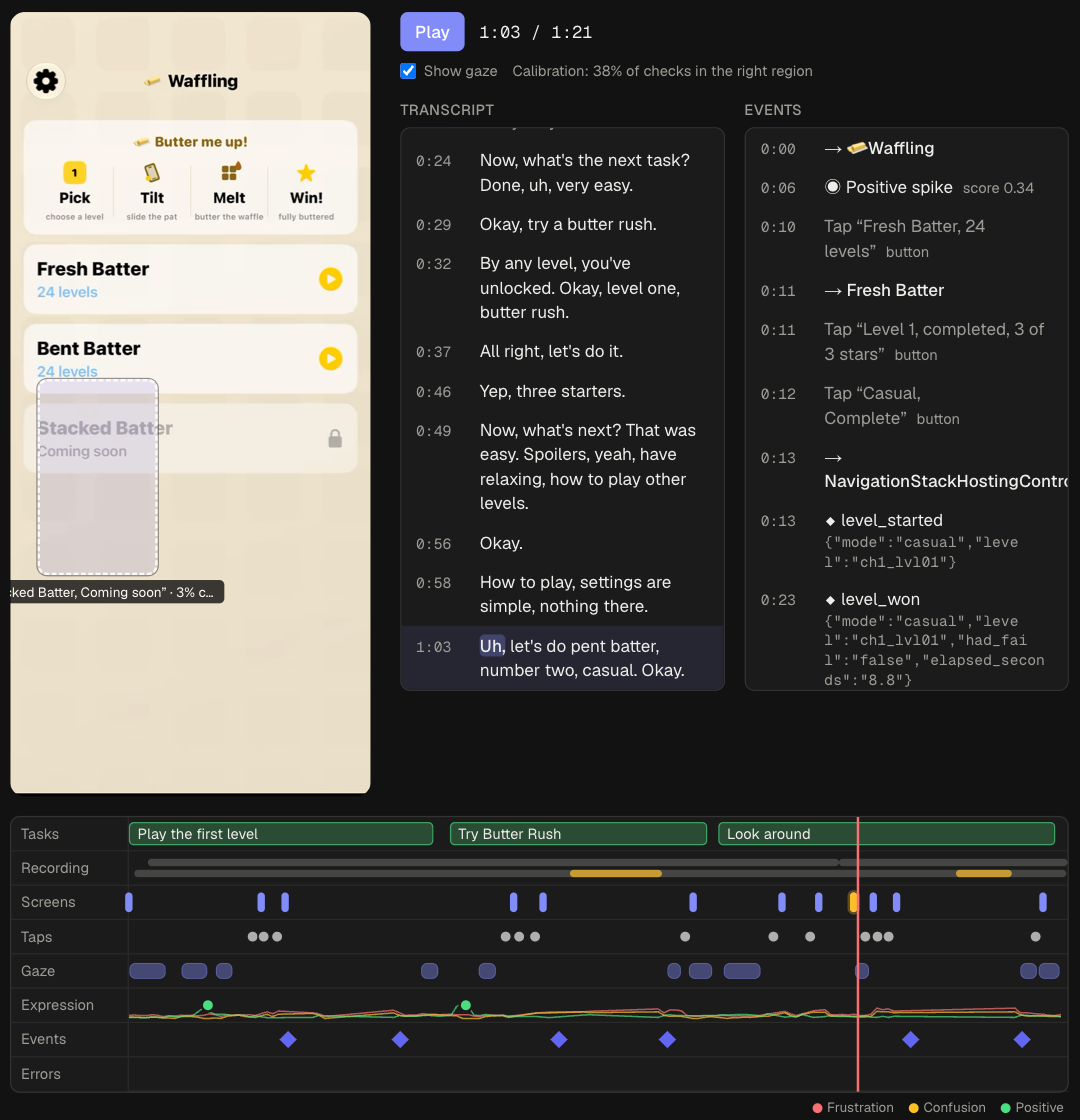
01 · Session playback
Watch the session, not the clock
The screen recording, transcript and app events stay in sync, with a marker showing where the tester is looking. The Timeline underneath shows every task, screen change, tap, gaze dwell and expression spike, so you can see where a tester slowed down at a glance.
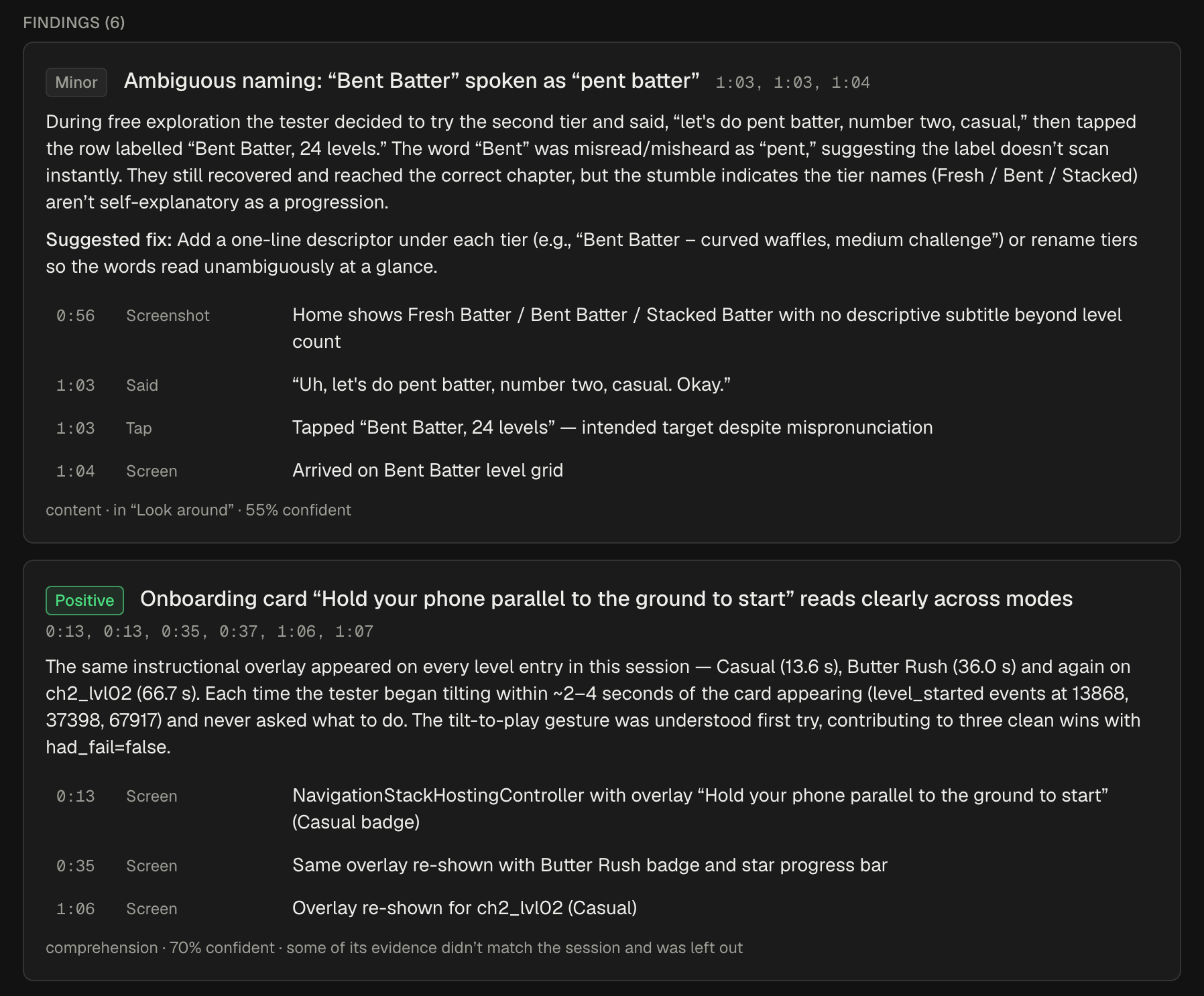
02 · Findings
Every claim comes with evidence
Each Finding cites the moments behind it: what the tester said, what they tapped, what was on screen. Timestamps jump straight to that point in the recording.
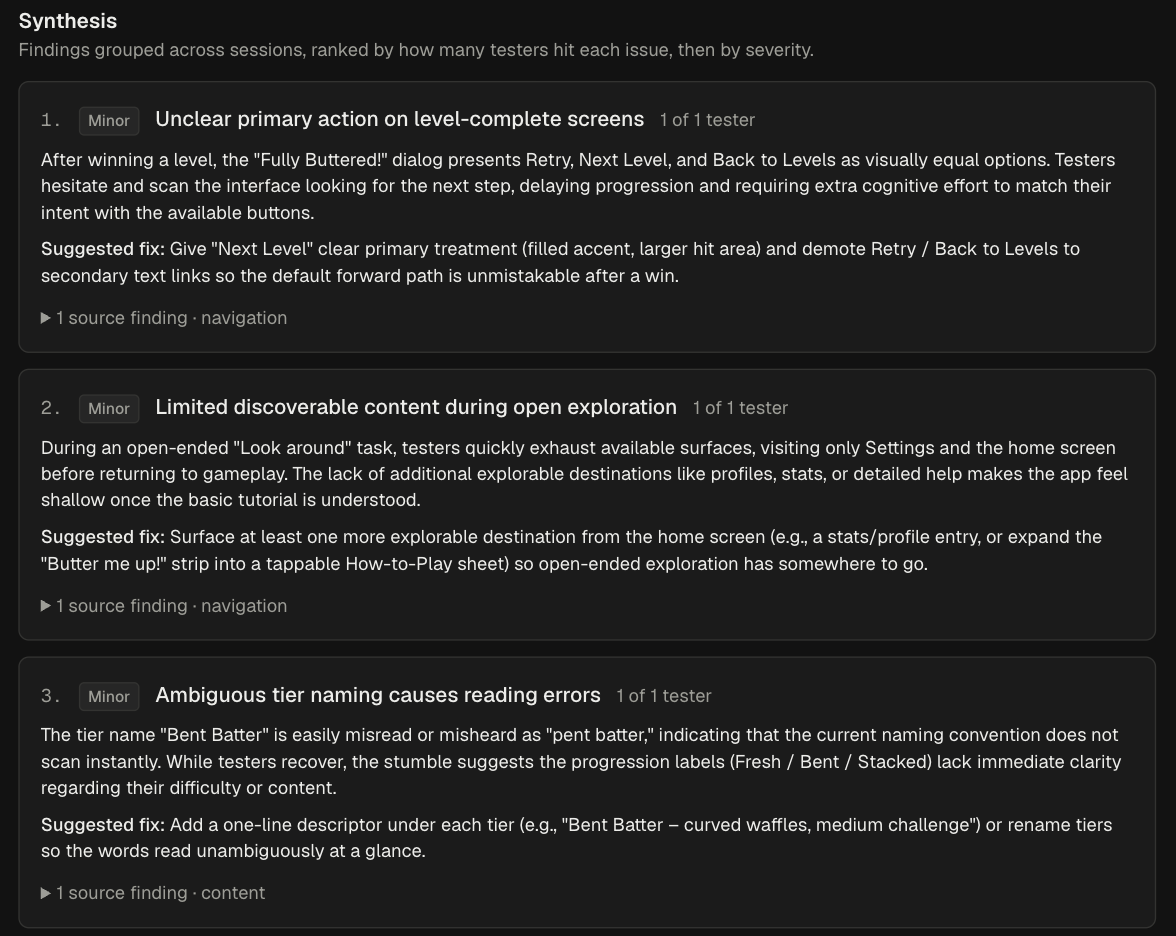
03 · Synthesis
The cross-tester picture
The Synthesis groups Findings across a Study's sessions and ranks them by how many testers hit each issue, then by severity, with a suggested fix for each.
Privacy
Recording people is a responsibility.
ux-rai captures testers' screens, voices and faces, so we built it to be careful with all of it.
Testers opt in
A session only starts when a tester joins a study with its code. iOS asks before the camera and microphone are used, and a recording indicator stays on screen the whole time.
Testers stay in control
Pausing stops every kind of capture at once. Testers can end the session whenever they like.
Media stays private
Recordings are kept in private storage. Playback uses links that expire.
Deletion is real
Delete a session and its media, derived data and Findings go with it.
Raw media expires after 90 days
Recordings are deleted automatically. The Timeline and Findings stay.
Want to see it on your app?
ux-rai is in early access, by invitation, for teams shipping on iOS. Tell us a little about your app and we'll be in touch.
Request more info